Introduction
Making a phone call no longer requires a traditional telephone line running directly to a telephone exchange. Today, businesses can handle customer calls through internet connections, connect employees across different locations, and manage their entire phone system using software.
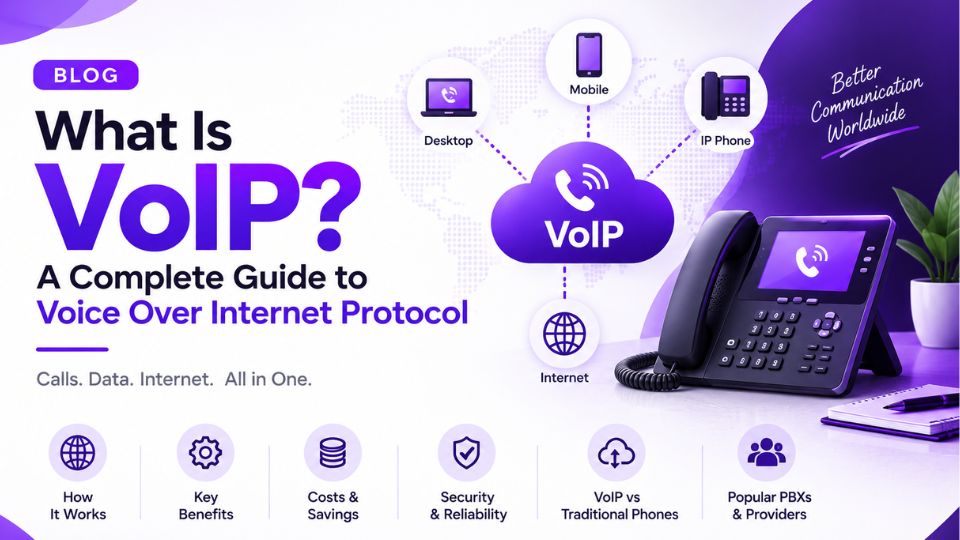
This technology is known as Voice over Internet Protocol (VoIP). It allows voice conversations to travel across IP networks instead of relying exclusively on conventional telephone infrastructure.
VoIP has become an important part of modern business communication. Small companies use it to manage customer calls without investing in expensive telephone systems, while larger organizations use it to connect offices, contact centers, remote employees, and international teams.
However, VoIP involves more than simply making calls over the internet. Behind every successful conversation, several components work together, including signaling protocols, audio codecs, IP networks, and, in many deployments, a PBX or SIP trunk provider.
Understanding these components makes it easier to choose the right VoIP solution, troubleshoot call failures, and maintain reliable voice communication.
In this guide, we will explain what VoIP is, how it works, the technologies behind it, its main benefits and limitations, and the factors businesses should consider before adopting a VoIP phone system.
1. What Is VoIP?
VoIP stands for Voice over Internet Protocol. It is a technology that converts voice into digital data and carries that data over an Internet Protocol (IP) network.
In a traditional telephone system, calls travel through conventional telephone infrastructure. With VoIP, voice information is converted into data packets that can travel across the internet or a private IP network.
The person receiving the call hears the conversation as ordinary audio. The underlying technology handles the conversion and transmission in the background.
For example, imagine a business with a sales team in London and a support team in India. Instead of installing separate traditional telephone lines for every employee, the company can use a VoIP phone system to connect both teams through an IP-based communication platform.
Employees may use desk phones, softphone applications on computers, or compatible mobile devices. Depending on the setup, they can make internal calls, contact customers on conventional phone numbers, transfer calls between departments, and manage voicemail through the same system.
VoIP is widely used in several environments, including:
- Business telephone systems and office communications.
- Customer support teams and contact centers.
- Remote and hybrid workplaces.
- International calling services.
- Hosted PBX and cloud telephony platforms.
- SIP trunking and IP-PBX deployments.
- Internet-based calling applications.
It is important to understand that VoIP is the broader technology, not a single application or service. SIP trunking, hosted PBX, softphones, and many internet calling platforms can all use VoIP, although their architecture and features may differ.
Is VoIP the Same as Calling Through an App?
Not exactly.
Applications such as internet calling tools provide a user-friendly way to communicate, but VoIP is the underlying technology that can make those calls possible.
A business VoIP deployment may include dedicated IP phones, a PBX server, SIP trunks, a session border controller, and connections to the public telephone network. A consumer calling application may hide most of those components from the user.
The distinction matters because businesses often need more than basic voice calling. They may require direct inward dialing (DID) numbers, call routing, extensions, call recording, business-hour rules, and integration with customer relationship management systems.
VoIP can support these requirements when it is implemented with the appropriate services and infrastructure.
2. How Does VoIP Work?
At a basic level, VoIP works by converting spoken audio into digital information, transmitting that information across an IP network, and converting it back into sound at the receiving end.
Although the conversation may feel instantaneous, several steps occur during a call.
Step 1: You Start a Call
The caller uses a VoIP device or application to dial a number or select a contact.
This device might be a desk IP phone, a computer running a softphone, a mobile application, or a browser-based calling interface.
If the call uses SIP, the device typically sends signaling messages to establish communication with the intended destination.
The system determines where the call should go, whether the destination is available, and how the connection should be established.
Step 2: The Voice Is Converted into Digital Audio
When you speak, the microphone captures your voice as an analog sound signal.
The device converts this signal into digital audio. A voice codec then compresses or encodes the audio into a format suitable for transmission.
Common VoIP codecs include:
- G.711: Provides uncompressed PCM audio at a nominal 64 kbit/s payload rate and is widely used in telephony.
- G.729: Uses compressed audio at a nominal 8 kbit/s payload rate, where supported and appropriately licensed.
- Opus: Supports a broad range of bitrates and audio applications, including interactive internet communication.
- G.722: Supports wideband audio for clearer voice reproduction than traditional narrowband telephony.
The codec selected can affect bandwidth usage, audio quality, processing requirements, and compatibility between endpoints.
Step 3: The Audio Travels as IP Packets
The encoded audio is divided into small units and transported across the network.
In many VoIP systems, audio travels using the Real-time Transport Protocol (RTP), commonly over UDP. RTP carries information such as sequence numbers and timestamps that help the receiving device reconstruct the audio stream.
The packets travel through the local network, routers, firewalls, and other network infrastructure before reaching their destination.
They do not necessarily follow exactly the same route, and they may arrive late, out of order, or not at all. A properly designed receiving system handles normal network variation, but excessive delay, jitter, or packet loss can affect the conversation.
This is why a reliable network connection matters for VoIP. A connection may be fast enough for browsing and file downloads but still produce poor call quality if it has significant congestion or unstable latency.
Step 4: The Receiving Device Reconstructs the Audio
At the other end, the receiving device collects the incoming packets and uses a jitter buffer to help manage differences in packet arrival times.
The device decodes the audio and converts it into sound through a speaker or headset.
The person receiving the call hears the caller's voice.
The same process takes place in the opposite direction, allowing both participants to speak and listen simultaneously.
Step 5: The Call Ends
When one participant hangs up, the VoIP system releases the call using the appropriate signaling procedure.
For a typical SIP call, a BYE request is used to terminate an established session, followed by the corresponding response.
The endpoints and other participating systems release the resources associated with the call.
A Simple VoIP Call Flow
Consider an employee calling a customer through a business IP phone system.
- The employee dials the customer's telephone number.
- The phone sends call-signaling messages to the configured VoIP system.
- The system determines the route to the customer.
- The call is sent through a SIP trunk or another suitable connection if the destination is on the public telephone network.
- Once the call is answered, audio flows between the participants.
- When the conversation ends, the call is disconnected.
The precise signaling and media path depend on the service provider, PBX configuration, network design, and whether the call stays within the IP network or reaches the public telephone network.
3. What Are the Main Components of a VoIP System?
A VoIP system can be simple or highly complex. A small business might use a cloud phone service and a few IP phones, while an enterprise deployment may include multiple PBX servers, SIP trunks, session border controllers, and redundant network connections.
Understanding the main components helps explain how these systems operate.
3.1 VoIP Endpoints
An endpoint is the device or application used to make or receive calls.
Common examples include:
- IP phones: Physical desk phones that connect to an IP network.
- Softphones: Applications installed on computers or mobile devices.
- Analog telephone adapters (ATAs): Devices that allow compatible analog telephones to connect to a VoIP service.
- Browser-based endpoints: Calling interfaces that use technologies such as WebRTC.
Each option has different requirements. IP phones are useful for fixed office workstations, while softphones provide flexibility for employees who work remotely or travel frequently.
3.2 IP Network and Internet Connection
The network carries the signaling and voice traffic between the communicating devices and services.
A VoIP deployment may use a public internet connection, a private WAN, a local area network, or a combination of these.
Network quality is often more important than raw download speed alone. Latency, jitter, packet loss, congestion, and routing stability can all influence the calling experience.
Businesses should also consider network segmentation, firewall rules, Quality of Service (QoS), and sufficient upload capacity when planning a deployment.
3.3 PBX or Call-Control Platform
A Private Branch Exchange (PBX) manages calls within an organization and determines how calls are handled.
A PBX can provide extensions, call transfers, ring groups, voicemail, interactive voice response (IVR), business-hour routing, and other telephony features.
Common options include Asterisk-based systems, FreePBX deployments, commercial IP-PBX platforms, and hosted PBX services.
A PBX is not mandatory for every VoIP setup. Some services connect endpoints directly through a provider-managed platform, while other deployments rely on a PBX for more advanced call control.
3.4 SIP Trunk Provider
A SIP trunk connects an IP-based telephone system to a telephone service provider's network, enabling calls to and from conventional telephone numbers where supported.
For example, a company may use an on-premises Asterisk PBX for internal extensions and connect it to a SIP trunk provider for outbound calls and inbound calls to its business numbers.
The provider's service determines available destinations, telephone numbers, caller ID options, concurrent-call capacity, pricing, and regulatory requirements.
Not every VoIP call requires a SIP trunk. Calls between users of the same platform may remain entirely within that platform.
3.5 Signaling and Media Protocols
VoIP relies on protocols to establish calls and carry voice.
SIP (Session Initiation Protocol) is commonly used to initiate, modify, and terminate communication sessions.
RTP (Real-time Transport Protocol) commonly carries the audio media during a call.
SDP (Session Description Protocol) describes media details negotiated during session setup, including codec information and media addresses and ports.
TLS and SRTP can help protect signaling and media, respectively, when supported and correctly configured.
These protocols serve different purposes. SIP signaling can succeed while RTP media fails, which is one reason a phone may ring and connect successfully even though neither participant can hear the other.
3.6 Session Border Controller
A Session Border Controller (SBC) is used in many business and carrier VoIP networks to control and secure communications at network boundaries.
Depending on the deployment, an SBC can help manage SIP signaling, media handling, topology hiding, access control, interoperability, and protection against certain forms of abuse.
SBCs are particularly relevant to deployments involving SIP trunks, multiple networks, hosted voice services, or carrier interconnections. However, the exact features and responsibilities vary by product and architecture.
4. What Is the Difference Between VoIP and Traditional Telephony?
Traditional telephone services and VoIP both enable people to communicate by voice, but they use different underlying technologies.
Traditional telephony has historically relied on circuit-switched telephone networks and dedicated telephone-line infrastructure. VoIP carries voice using IP-based networks.
The distinction is not simply old technology versus new technology. Traditional telephone networks can also interconnect with IP networks, and modern telecom providers frequently operate hybrid infrastructure.
Here are the main differences.
FeatureTraditional telephonyVoIPTransmissionConventional telephone infrastructure, often circuit-switchedVoice carried over IP networksConnectivityTraditional phone lines or carrier circuitsLAN, WAN, internet, or private IP connectivityEquipmentConventional telephone equipment and PBX systemsIP phones, softphones, IP-PBX, or cloud platformsScalingMay require additional lines or capacity arrangementsOften easier to scale through software and service changesRemote accessDepends on the service and equipmentCan support remote users with suitable connectivity and securityIntegrationDepends on the telephone systemCan integrate with software, APIs, and business applicationsCall qualityDepends on the service and networkDepends on codecs, endpoints, network conditions, and configurationPower dependencySome traditional lines can operate without local premises powerIP phones and network equipment generally require power, unless backup is available
Is VoIP Always Cheaper Than Traditional Phone Service?
Not necessarily.
VoIP can reduce costs by using existing IP infrastructure, simplifying the addition of users, and offering flexible calling plans. It can be especially attractive to businesses with multiple locations or remote employees.
However, the total cost depends on more than the advertised monthly price.
Businesses should account for phone numbers, concurrent calls, international destinations, emergency calling, hardware, implementation, support, network upgrades, redundancy, and security.
For a small office, a hosted VoIP plan may be economical. For an organization with specialized requirements, a more complex deployment may require additional investment.
The best comparison considers the full cost of operating the system rather than assuming one technology is always less expensive.
Can VoIP Replace a Traditional Phone System?
In many business environments, yes. VoIP can support internal extensions, inbound and outbound calling, voicemail, call queues, transfers, and other standard telephone features.
However, organizations should plan the transition carefully. Emergency calling, power backup, internet redundancy, number portability, compatibility with existing equipment, and regulatory requirements need to be addressed before replacing an existing service.
The appropriate solution depends on the organization's communication requirements and local telecom environment.
5. Different Types of VoIP Systems
Not every VoIP solution is built the same way. A freelancer who only needs a business phone number has very different requirements than a company with hundreds of employees across multiple countries.
Choosing the right deployment depends on budget, technical expertise, scalability, and how much control you want over your phone system.
Hosted VoIP
Hosted VoIP, often called cloud VoIP, is one of the most popular options for modern businesses. Instead of running your own phone server, a service provider hosts the entire communication platform in the cloud.
Employees simply connect using IP phones, desktop softphones, or mobile apps.
Why businesses choose hosted VoIP
- No need to maintain PBX hardware.
- Faster deployment.
- Easy to add or remove users.
- Automatic software updates.
- Suitable for remote teams.
This model works particularly well for startups and growing businesses that want enterprise-level features without managing telecom infrastructure.
On-Premises IP PBX
An on-premises IP PBX gives businesses complete control over their communication system. The PBX software runs on a local server inside the organization's network.
Popular examples include:
- Asterisk
- FreePBX
- 3CX (self-hosted)
- FusionPBX
Organizations that choose this approach often value customization, security controls, and integration with internal systems.
However, it also means someone needs to manage:
- server maintenance
- software updates
- backups
- security
- troubleshooting
Hybrid VoIP Systems
Some organizations combine both approaches.
For example:
- internal calls remain on a local PBX
- external calls travel through cloud SIP trunks
- remote employees connect through hosted services
This hybrid approach is common among businesses that already own telecom equipment but want to modernize gradually instead of replacing everything at once.
Residential VoIP
Residential VoIP focuses on home users who want internet-based phone service.
Many providers supply an adapter that connects an existing home telephone to the internet connection.
While residential services typically offer fewer business features, they demonstrate how flexible VoIP technology has become.
6. Essential VoIP Protocols Explained
Behind every successful VoIP call are several protocols working together.
Many people hear terms like SIP, RTP, or TLS without understanding what each one actually does.
Think of these protocols as different team members performing different jobs during a phone call.
SIP (Session Initiation Protocol)
SIP is responsible for establishing and managing communication sessions.
When someone dials a number, SIP helps:
- locate the destination
- negotiate the connection
- start the conversation
- end the session properly
Without SIP signaling, most business VoIP calls would never begin.
Common SIP methods include:
- INVITE
- REGISTER
- ACK
- BYE
- OPTIONS
These messages become particularly important when troubleshooting errors like:
- SIP 401 Unauthorized
- SIP 403 Forbidden
- SIP 408 Request Timeout
RTP (Real-Time Transport Protocol)
Once the call connects, RTP carries the actual voice.
Unlike SIP, RTP doesn't decide who should receive the call.
Its job is transporting audio continuously between both participants.
This distinction explains an important troubleshooting scenario:
A phone rings successfully, but neither person hears audio.
In many cases:
- SIP worked.
- RTP failed.
This often points toward firewall, NAT, or routing issues.
SDP (Session Description Protocol)
SDP works alongside SIP during call setup.
It tells both devices things like:
- which codec to use
- where to send media
- which ports should carry RTP
Without proper SDP negotiation, devices may struggle to exchange media correctly.
TLS and SRTP
Security matters more than ever in modern VoIP deployments.
Two important technologies help protect communications.
TLS secures SIP signaling.
SRTP encrypts voice media.
Together they help reduce the risk of unauthorized interception while supporting more secure business communications.
7. Understanding VoIP Codecs
A codec converts voice into digital audio and back again.
Different codecs balance three important factors:
- audio quality
- bandwidth usage
- processing requirements
Choosing the right codec depends on your environment.
G.711
G.711 is one of the most widely used codecs in business telephony.
Advantages
- excellent voice quality
- minimal compression
- broad compatibility
Best for
- office networks
- SIP trunks
- business PBX systems
G.729
G.729 uses much less bandwidth than G.711.
Advantages
- lower bandwidth consumption
- suitable for constrained links
Trade-offs
- more compression
- licensing considerations in some environments
Opus
Opus has become increasingly popular because of its flexibility.
It performs well across many network conditions while supporting both voice and high-quality audio.
You'll often find Opus in:
- WebRTC applications
- modern communication platforms
- browser-based calling
G.722
G.722 provides wideband audio.
Compared to traditional narrowband telephony, voices sound more natural and clearer.
Many businesses prefer G.722 for internal office communications.
8. How Much Internet Speed Does VoIP Need?
One of the biggest misconceptions about VoIP is that faster internet automatically means better call quality.
In reality, stability matters more than raw speed.
A modest internet connection with low latency can outperform a much faster connection suffering from congestion.
Typical Bandwidth Requirements
Approximate bandwidth depends on the codec being used.
CodecApproximate bandwidth per callG.711Around 80–100 KbpsG.729Around 30–40 KbpsOpusVariable depending on configuration
Remember that businesses usually have multiple simultaneous calls.
A company with 20 concurrent calls needs considerably more available bandwidth than a company making one call at a time.
Network Conditions That Affect Call Quality
Several network characteristics directly influence conversations.
Latency
Latency measures delay.
High latency causes awkward pauses and people talking over each other.
Jitter
Jitter measures variation in packet arrival times.
Too much jitter can make speech sound choppy or robotic.
Packet Loss
Missing packets create missing pieces of audio.
Severe packet loss makes conversations difficult to understand.
Quality of Service (QoS)
Many business networks prioritize voice traffic using Quality of Service.
QoS helps ensure VoIP packets receive higher priority than activities like large downloads or video uploads.
Proper QoS configuration can dramatically improve call consistency during busy network periods.
9. Advantages of VoIP
VoIP has become the preferred communication platform for many organizations because it offers flexibility that traditional systems often cannot match.
Lower Communication Costs
Businesses can often reduce communication expenses by using internet-based infrastructure instead of expanding traditional telephone systems.
International calling can also become more cost-effective depending on the provider and calling destinations.
Easy Scalability
Adding a new employee often involves creating another extension instead of installing additional physical telephone lines.
This makes VoIP particularly attractive for growing businesses.
Remote Work Support
Employees can answer business calls from:
- home
- another office
- mobile devices
- laptops
The caller experiences a consistent business phone system regardless of employee location.
Advanced Features
Modern VoIP platforms commonly include:
- call forwarding
- voicemail to email
- IVR
- call recording
- conference calling
- ring groups
- analytics
- CRM integration
Many of these features would require separate equipment in older phone systems.
Better Flexibility
Businesses can adapt call routing quickly.
For example:
- redirect calls during holidays
- route support calls internationally
- create temporary campaigns
- assign virtual numbers
Changes often happen through software rather than hardware installation.
10. Disadvantages of VoIP
While VoIP offers significant advantages, it isn't perfect.
Understanding its limitations helps businesses prepare properly.
Internet Dependency
If the internet connection fails, communication may be disrupted unless backup connectivity exists.
Many businesses address this through:
- secondary internet providers
- LTE failover
- redundant network design
Power Dependency
Unlike some traditional telephone lines, IP phones and networking equipment usually require power.
Businesses often deploy:
- UPS systems
- backup power
- redundant infrastructure
to maintain communication during outages.
Security Risks
VoIP systems can become targets for:
- SIP registration attacks
- toll fraud
- credential theft
- unauthorized access
Strong passwords, encryption, SBCs, firewalls, and regular monitoring help reduce these risks.
Network Configuration Challenges
Some issues require technical expertise.
Examples include:
- NAT traversal
- RTP routing
- firewall configuration
- codec negotiation
Fortunately, understanding these concepts makes troubleshooting much easier—a topic we'll explore further in Part 3.
11. When Is VoIP the Right Choice?
VoIP is an excellent fit for many organizations, but success depends on matching the solution to the business.
It's particularly suitable for:
- small businesses needing affordable communication
- growing companies adding employees regularly
- remote and hybrid teams
- international businesses
- customer support centers
- organizations modernizing older PBX systems
Before deployment, businesses should evaluate:
- internet reliability
- security requirements
- existing equipment
- call volume
- future growth
- provider reliability
A well-planned implementation often delivers better long-term results than choosing the lowest-cost provider alone.
12. Common VoIP Problems and How to Troubleshoot Them
VoIP problems can originate from several places, including the endpoint, PBX, SIP provider, network, or receiving telephone system. The symptoms often look similar, so identifying the stage at which a call fails is an important first step.
Before changing configurations, collect the relevant evidence. Check the call time, calling and called numbers, SIP response codes, PBX logs, and available network statistics. For difficult cases, a SIP trace or packet capture can reveal what happened during the call.
Problem 1: VoIP Calls Keep Dropping
Dropped calls can be frustrating, particularly in customer support environments where every interrupted conversation affects the customer experience.
Common causes include:
- Unstable internet connectivity.
- Packet loss or network congestion.
- Firewall timeouts or NAT issues.
- SIP session timer problems.
- A provider disconnecting the call.
- PBX or endpoint configuration errors.
How to troubleshoot it
Start by checking whether calls disconnect after a consistent period, such as 30 seconds, several minutes, or at irregular intervals.
A consistent disconnect time may provide a useful clue, although it does not prove a particular cause.
Review the SIP signaling to determine which system initiated the disconnect. If a BYE message appears, identify its source and examine the accompanying logs. If the network connection itself fails, investigate connectivity, routing, and firewall events.
Testing several calls to different destinations can also help establish whether the problem affects all calls or only one route.
Problem 2: One-Way Audio in VoIP
One-way audio occurs when one participant can hear the other, but the reverse audio path is missing.
For example, a customer can hear a support agent, but the agent cannot hear the customer.
This is a common troubleshooting issue in SIP and IP-PBX environments.
Possible causes include:
- Incorrect NAT configuration.
- RTP traffic blocked by a firewall.
- Incorrect media addresses in SDP.
- Asymmetric routing.
- Problems with an SBC or media relay.
- Incompatible or incorrectly negotiated media settings.
How to troubleshoot one-way audio
- Confirm that the SIP call establishes successfully.
- Inspect the SDP exchanged during call setup.
- Check the media IP addresses and ports advertised by both sides.
- Verify that the required RTP traffic can travel in both directions.
- Review firewall, NAT, PBX, and SBC configurations.
- Compare a successful call with a failed call, if available.
Do not assume that opening every UDP port will solve the problem. Determine the configured RTP range and allow only the traffic required by the deployment.
For systems behind NAT, make sure the PBX and any SBC or media relay are configured consistently with the network topology.
Problem 3: Poor VoIP Audio Quality
A call may connect successfully while the conversation sounds distorted, delayed, robotic, or choppy.
These symptoms commonly relate to network performance, codec compatibility, endpoint issues, or congestion.
SymptomPossible causeWhat to checkRobotic voicePacket loss or jitterNetwork statistics and packet capturesDelayed conversationHigh latencyNetwork path and congestionChoppy audioPacket loss, jitter, or CPU loadEndpoint, network, and server performanceLow volumeEndpoint or audio configurationMicrophone, headset, gain, and codec settingsDistorted audioAudio processing or codec issuesCodec negotiation and endpoint configuration
Practical tip: Test calls during both quiet and busy network periods. If audio quality deteriorates when the office network is heavily used, congestion or inadequate traffic prioritization may be contributing to the problem.
Problem 4: SIP Registration Fails
A phone that cannot register with a SIP server may be unable to make or receive calls through that account.
Common causes include:
- Incorrect username or authentication credentials.
- An incorrect SIP server address or port.
- Account restrictions.
- DNS resolution problems.
- Firewall or network restrictions.
- Unsupported authentication settings.
Start by verifying the registration server, username, authentication username, and password. These values are not always identical.
Next, check the SIP response code and the server logs. A failed registration can have several different causes, so the response should guide the next diagnostic step.
Avoid repeatedly changing unrelated settings. Make one controlled change at a time and verify whether it resolves the issue.
13. Common SIP Error Codes Every VoIP Administrator Should Know
SIP response codes help explain how a request was handled. They are useful when troubleshooting registration failures, call setup problems, unavailable destinations, and provider routing issues.
However, a response code is a clue rather than a complete diagnosis. The underlying reason depends on the request, the system generating the response, and the surrounding signaling.
SIP 401 Unauthorized
A SIP 401 response usually indicates that authentication is required. In many SIP registration flows, the server challenges the endpoint to authenticate.
What to check:
- Whether the client responds to the authentication challenge.
- Whether the authentication username and password are correct.
- Whether the client and server support compatible authentication settings.
A 401 response is not automatically a fault. The complete registration exchange determines whether authentication succeeds.
SIP 403 Forbidden
A SIP 403 response indicates that the server understood the request but refuses to fulfill it.
Possible reasons include account restrictions, denied destinations, authorization policies, or provider-side restrictions.
What to check:
- Whether the account is authorized to make the call.
- Whether the destination is permitted.
- Whether the caller ID meets provider requirements.
- Whether the provider has applied account restrictions.
Review the complete SIP response and provider logs rather than assuming that every 403 error is caused by incorrect credentials.
SIP 408 Request Timeout
A 408 response indicates that the server did not receive a timely response to the request.
Potential causes include network reachability problems, an unavailable destination, routing failures, or an unresponsive downstream system.
Check connectivity, DNS resolution, SIP routing, and the logs of the system generating the response.
SIP 480 Temporarily Unavailable
A 480 response indicates that the destination is temporarily unavailable.
The user may be offline, the endpoint may be unreachable, or the service may be unable to contact the destination at that time.
Check endpoint registration, forwarding rules, availability settings, and the provider's routing information.
SIP 486 Busy Here
A 486 response means that the destination is busy and cannot accept the call under the current conditions.
If the destination should be available, inspect the endpoint's call state, call-waiting configuration, simultaneous-call limits, and PBX routing rules.
SIP 488 Not Acceptable Here
A 488 response means that the requested session parameters are not acceptable.
Codec incompatibility is one possible cause, but other media or session parameters may also be responsible.
Compare the SDP offers and answers, including the supported codecs and media settings. Check whether the endpoints and any intermediate SBCs agree on an acceptable media configuration.
SIP 503 Service Unavailable
A 503 response indicates that the server or service cannot handle the request at that time.
Possible reasons include maintenance, temporary overload, unavailable downstream routes, or service-provider capacity problems.
Check the provider's service status if available, review PBX and trunk logs, and determine whether the issue affects all destinations or only a particular route.
A Better Way to Troubleshoot SIP Errors
When investigating SIP errors, record the following information:
- The exact time of the failed call.
- The source and destination of the request.
- The response code and full response message.
- The SIP Call-ID, where available.
- The system that generated the response.
- The preceding SIP messages and relevant logs.
This information is much more useful than reporting only that a call failed with a 403 or 503 error.
When sharing traces in a public forum, remove telephone numbers, authentication details, IP addresses where sensitive, and other information that could expose your infrastructure.
14. VoIP Security: How to Protect Your Phone System
VoIP security deserves attention from the beginning of a deployment. An incorrectly configured PBX or exposed SIP service can create opportunities for unauthorized access, toll fraud, service disruption, or interception of unencrypted communications.
A few practical measures can significantly improve the security of a VoIP environment.
Use Strong Authentication
Change default passwords and use unique, strong credentials for SIP accounts and administrative interfaces.
Avoid reusing the same password across multiple extensions or services. Restrict administrative access to trusted networks wherever practical.
Restrict SIP Access
Do not expose SIP services to the entire internet unless the deployment specifically requires it and appropriate security controls are in place.
Use firewall rules, access control lists, provider IP restrictions where appropriate, and SBC policies to limit unwanted traffic.
Enable Encryption Where Supported
SIP over TLS can protect signaling in supported deployments, while SRTP can protect voice media.
Encryption must be configured correctly across the communication path. It is also important to understand where encryption terminates and whether any intermediate system handles unencrypted signaling or media.
Monitor for Toll Fraud
Toll fraud can occur when attackers gain access to a phone system and place unauthorized calls, potentially generating substantial charges.
Useful preventive measures include:
- Restricting international destinations that are not required.
- Setting spending or call-duration limits where supported.
- Monitoring unusual call patterns.
- Applying sensible permissions to extensions.
- Alerting administrators to unexpected traffic spikes.
- Keeping PBX software and security updates current.
Maintain Backups and Updates
Keep the PBX, endpoints, operating system, and related components updated according to a tested maintenance process.
Back up configurations regularly and verify that they can be restored. For business-critical services, document recovery procedures and test them before an outage occurs.
Security is an ongoing process. A system that was configured safely several months ago can become vulnerable if software, network requirements, or threat conditions change.
15. How to Choose the Right VoIP Provider
Choosing a VoIP provider involves more than comparing monthly subscription prices. The right provider should meet your calling requirements, offer reliable support, and provide the features your business actually needs.
Consider these factors before making a decision.
Call Quality and Reliability
Ask about service availability, network design, redundancy, and how the provider handles service interruptions.
If possible, test the service using your actual endpoints, network, and expected calling destinations before committing to a large deployment.
Geographic Coverage and Phone Numbers
Check whether the provider supports the countries and regions where you need service.
If your business needs local numbers, toll-free numbers, or direct inward dialing (DID), confirm number availability, portability, and any local documentation or regulatory requirements.
SIP Trunk Compatibility
If you operate an existing PBX, confirm that the provider supports your intended configuration.
Review authentication methods, IP-based trunking options, codec support, concurrent-call limits, caller ID policies, and any requirements for an SBC.
Compatibility should be tested rather than assumed.
Pricing and Billing
Review the complete pricing structure, including:
- Monthly service fees.
- Number rental charges.
- Outbound calling rates.
- Concurrent-call or channel charges.
- Setup and porting fees.
- International calling costs.
- Support and additional feature charges.
A low advertised rate may not represent the lowest total cost for your particular call patterns.
Technical Support
When a business phone system fails, support quality matters.
Check the provider's support hours, escalation process, troubleshooting capabilities, and availability of useful call logs or diagnostic tools.
For businesses that rely on voice communication around the clock, make sure the support arrangements match the operational requirements.
16. Frequently Asked Questions About VoIP
What is VoIP in simple terms?
VoIP is a technology that allows people to make and receive voice calls over IP networks rather than relying exclusively on traditional telephone-line infrastructure. It converts speech into digital data, transmits that data, and reconstructs the audio at the receiving end.
Does VoIP require the internet?
VoIP requires an IP network, but that network does not necessarily have to be the public internet. Calls can operate over a private business network or WAN, depending on the architecture. Calls to external telephone numbers may require a connection to a suitable telecom provider.
Is VoIP free?
The technology itself does not determine whether calls are free. Some internet calling services offer free calls between their users, while business VoIP services may charge subscription fees, number rental, setup fees, or per-minute calling rates.
Can I use VoIP on my mobile phone?
Yes. You can use compatible VoIP applications on smartphones, provided you have suitable network connectivity and the service supports your device. Some business systems also allow employees to use their business extensions through mobile applications.
What is the difference between VoIP and SIP?
VoIP refers broadly to voice communication over IP networks. SIP is a signaling protocol commonly used to establish, manage, and terminate communication sessions in VoIP systems. SIP helps set up the call, while RTP commonly carries the voice audio.
What is the difference between VoIP and SIP trunking?
VoIP is the underlying technology for transmitting voice over IP networks. SIP trunking is a service or connection that allows an IP-PBX or other compatible system to communicate with a telephone service provider over SIP.
Can VoIP work without a PBX?
Yes. A PBX is not required for every VoIP deployment. Some hosted services manage call control in the cloud, and some applications communicate directly through their service platforms. A PBX becomes useful when an organization needs centralized extension management, call routing, IVR, ring groups, or similar business features.
Is VoIP reliable for business use?
VoIP can be highly reliable when supported by a well-designed network, suitable provider infrastructure, secure configuration, and appropriate redundancy. Reliability depends on the complete service, including internet connectivity, power, endpoint quality, and the provider's ability to handle failures.
Is VoIP secure?
VoIP can be secured through strong authentication, access restrictions, encryption where supported, software updates, monitoring, and careful call-routing policies. Security depends on implementation, and no single measure eliminates every risk.
How much bandwidth does a VoIP call use?
Bandwidth depends on the codec, packetization interval, transport overhead, and network configuration. For example, a G.711 call commonly needs roughly 80–100 kbit/s in each direction at the IP layer under typical packetization assumptions. Multiple simultaneous calls require proportionally more capacity, plus suitable headroom for other network traffic.
Can VoIP replace a business landline?
In many situations, yes. A business can use VoIP for extensions, inbound and outbound calls, call transfers, voicemail, and other common telephone functions. Before replacing an existing line, evaluate emergency calling, power backup, number portability, equipment compatibility, and any regulatory obligations.
Conclusion: Is VoIP the Right Communication Solution for Your Business?
VoIP has changed the way businesses approach voice communication. It allows organizations to connect employees across locations, manage calls through software, and build communication systems that can grow alongside their operations.
From a simple softphone application to a complex IP-PBX connected through SIP trunks, VoIP offers a range of options for different business needs.
However, getting the best results requires more than selecting a service and connecting a phone. Network quality, codec compatibility, SIP configuration, security, and provider reliability all contribute to the final calling experience.
For businesses planning a migration, the sensible approach is to identify their communication requirements, evaluate suitable solutions, test call quality, and prepare for security and service-continuity requirements before moving their entire operation.
For telecom professionals, VoIP also remains a field where practical experience matters. A small configuration change can resolve a registration failure, while diagnosing one-way audio may require examining SIP signaling, SDP, RTP traffic, and NAT behavior together.
Have a VoIP question, configuration challenge, or troubleshooting experience to share?
Join I Have Answers – Global VoIP Forum & Telecom Community at https://ihaveanswers.com/ to discuss SIP, VoIP, PBX systems, cloud telephony, virtual numbers, and other telecom technologies with the community.
Share what you have learned, ask technical questions, and help others solve real-world communication problems. Every useful discussion can help someone build a more reliable VoIP system.
Join the I Have Answers Discussion and be part of the growing VoIP and telecom community.